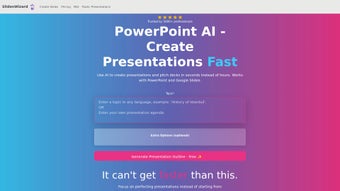

Download Slides Wizard – AI‑Powered Presentation Builder, Free & Secure
Overview
Slides Wizard is an AI‑driven web application that transforms raw text, bullet points, or simple outlines into polished PowerPoint and Google Slides decks in a matter of seconds. The platform harnesses advanced natural‑language processing, a proprietary slide‑structuring engine, and an integrated royalty‑free image search to automatically generate slide titles, concise bullet lists, speaker notes, and visual assets that match the context of your content. Whether you are a marketer crafting a persuasive pitch, a student preparing a class presentation, a consultant delivering an executive summary, or a trainer assembling a workshop deck, Slides Wizard eliminates the repetitive design work that typically consumes hours.
The tool lives entirely in the browser, so there is no heavy client‑side installation, and it offers both a generous free tier and a pay‑per‑download model that charges only when you export the final file. This combination of on‑demand AI generation, cross‑platform export, and flexible pricing makes Slides Wizard a cost‑effective, secure, and scalable solution for anyone who needs high‑quality presentations quickly. The service also adheres to GDPR and CCPA standards, ensuring that any confidential data you input remains encrypted both in transit and at rest.
Core Features & How It Works
- AI‑Generated Slide Content: Input a paragraph, bullet list, or even a simple outline, and the engine produces fully formatted slides with appropriate headings, sub‑points, and speaker notes.
- Smart Image Integration: The built‑in photo search pulls royalty‑free images that align with each slide’s topic, enhancing visual appeal without extra effort.
- Cross‑Platform Compatibility: Export decks directly to PowerPoint (.pptx), Google Slides, or PDF, ensuring seamless sharing across Windows, macOS, Android, and iOS environments.
- Online Collaboration: Generated presentations can be viewed, edited, and shared via a secure link, making team collaboration as easy as sending a URL.
- Free & Pay‑Per‑Use Options: The free tier lets you generate and preview slides, while downloads (PPTX, PDF) are billed per file, eliminating subscription lock‑ins.
- Real‑Time Editing: After AI creation, you can fine‑tune text, rearrange slides, or replace images directly in the browser before exporting.
- Secure Cloud Processing: All data is encrypted in transit and at rest, complying with GDPR and CCPA standards for privacy‑conscious users.
Step‑by‑Step Workflow
The user experience is intentionally straightforward. First, you paste or type your source material into the input field. Next, select the desired output format (PowerPoint or Google Slides) and optionally choose a visual theme.
The AI then parses the content, identifies logical slide breaks, and drafts each slide’s layout. Within seconds, a preview appears, showing text, bullet points, and automatically inserted images. Users can click any slide to edit text, swap images, or adjust the order.
Once satisfied, a single click exports the deck to the chosen format, and the file is ready for download or direct sharing via a secure link. Advanced users can also access API endpoints to automate slide generation from other tools such as Notion, Trello, or Google Docs, enabling seamless integration into existing workflows.
Why AI Makes a Difference
Traditional presentation tools require manual structuring, which can be time‑consuming and often leads to inconsistent styling. Slides Wizard’s AI model is trained on millions of high‑performing decks, learning optimal slide hierarchy, visual balance, and concise phrasing. This means the generated slides are not only aesthetically pleasing but also aligned with best practices for audience engagement. The AI also suggests appropriate image styles—photographic, illustrative, or icon‑based—based on the tone of your content, which helps maintain a cohesive visual language throughout the deck. For busy professionals, this translates into hours saved per project and a higher likelihood of delivering a compelling story that resonates with stakeholders.
Installation, Compatibility & Pricing
Zero‑Installation, Browser‑Based Access
Because Slides Wizard runs entirely in the cloud, there is no software to download or install. Simply navigate to slideswizard.com, create an account, and start generating presentations instantly. The platform is optimized for modern browsers such as Chrome, Edge, Firefox, and Safari, ensuring fast load times and smooth interaction on both desktop and mobile devices. For users on older browsers, a lightweight fallback mode provides basic functionality without sacrificing security.
Supported Operating Systems
- Windows 10/11
- macOS 12+ (Catalina, Big Sur, Monterey, Ventura)
- iOS 14+ (iPhone & iPad)
- Android 9+ (Chrome, Firefox)
- Linux distributions with a compatible browser
Pricing Model
Slides Wizard adopts a flexible, user‑centric pricing structure designed to accommodate occasional creators and large teams alike.
- Free Tier: Unlimited AI slide generation and preview; no watermark; export limited to PDF preview only.
- Pay‑Per‑Download: $0.99 per PPTX file and $0.79 per PDF export. Bulk discounts are automatically applied after 10 downloads (10% off each additional file).
- Enterprise License: Custom pricing for teams requiring API access, brand‑level theming, centralized billing, and extended data retention.
All payments are processed through a secure SSL‑encrypted gateway, and receipts are emailed instantly. Because you only pay when you download, the tool remains cost‑effective for occasional users while still scaling for power users.
Getting Started in Minutes
1. Sign Up: Use an email address or single‑sign‑on (Google, Microsoft) to create a free account.
2. Enter Content: Paste your outline or type directly into the editor.
3.
Choose Settings: Select output format, visual theme, and optional image style.
4. Generate: Click “Create Slides” and watch the AI work.
5. Review & Edit: Adjust any slide, replace images, or reorder as needed.
6.
Export: Choose PPTX, Google Slides, or PDF and download or share the secure link.
This end‑to‑end flow typically takes less than five minutes for a 10‑slide deck, dramatically reducing the time spent on presentation prep.
Pros & Cons, FAQ & Conclusion
Pros
- Fast AI‑generated content saves hours of manual drafting.
- Integrated royalty‑free images boost visual quality.
- Cross‑platform export ensures compatibility with PowerPoint, Google Slides, and PDF.
- Pay‑per‑download model avoids unnecessary subscription fees.
- Secure cloud processing protects confidential data.
- API and Zapier integrations enable workflow automation.
- Browser‑based access works on Windows, macOS, Linux, iOS, and Android.
Cons
- Limited customization of AI‑suggested layouts without manual editing.
- Free tier does not include PPTX export.
- Requires an internet connection; offline usage is not supported.
- Advanced branding features are only available in enterprise plans.
- Image selection, while intelligent, may occasionally misinterpret niche topics.
Frequently Asked Questions
Can I use Slides Wizard without creating an account?
A temporary guest session is available, but saving projects and exporting PPTX files require a free account for security and billing purposes.
Are the generated images royalty‑free?
Yes, Slides Wizard pulls images from licensed stock photo libraries that allow commercial use without additional fees.
How does the pricing work for bulk downloads?
After ten downloads, a 10% discount is automatically applied to each subsequent file. Enterprise plans can negotiate deeper discounts.
Is my data stored after I generate a presentation?
All user data is encrypted and retained for 30 days to enable editing and sharing. After this period, the data is permanently deleted unless you opt for longer storage via an enterprise plan.
Can I integrate Slides Wizard with my existing workflow tools?
Yes, the platform offers API endpoints and Zapier connections for automated slide generation from other apps like Notion, Trello, or Google Docs.
What security measures protect my presentations?
Slides Wizard uses TLS 1.3 for data in transit, AES‑256 encryption at rest, and regular third‑party security audits to ensure compliance with GDPR and CCPA.
Conclusion & Call to Action
Slides Wizard positions itself as a practical, AI‑powered ally for anyone who needs to produce professional presentations quickly and affordably. Its blend of automatic content creation, intelligent image sourcing, and flexible export options eliminates the tedious formatting steps that traditionally dominate slide design. While power users may wish for deeper layout control, the overall value—especially under the pay‑per‑download model—makes it a compelling choice for freelancers, educators, and corporate teams alike. Ready to transform your notes into a polished deck in seconds? Download Slides Wizard now, start with the free tier, and experience a faster, more secure way to build presentations.



.png)



